Import & Export
Video editing projects (including tracks, clips, and keyframes) can be imported and exported from OpenShot Video Editor in widely supported formats (EDL: Edit Decision Lists, and XML: Final Cut Pro format). For example, if you start editing a video in a different program (Adobe Premier, Final Cut Pro, etc…), but later need to move all your edits to OpenShot (or vice versa).
EDL (Edit Decision Lists)
The following features are supported when importing and exporting an EDL file with OpenShot.
EDL Option Name |
Description |
|---|---|
EDL Format |
CMX-3600 (a very widely supported variation) |
Single Track |
Only a single track can be imported at a time (this is a limitation of the EDL format) |
Tape Name |
Only AX and BL tape names are currently supported in OpenShot |
Edits (V and A) |
Only edits are currently supported (transitions are not yet supported) |
Opacity |
Opacity keyframes are supported |
Audio Levels |
Volume keyframes are supported |
Example EDL Output
OpenShot follows the CMX 3600 layout for event lines and uses comment lines (* …) to carry keyframes. CMX 3600 does not define units or interpolation in comments, so our exporter adds readable values and interpolation names, and our importer is very forgiving: it accepts units with or without spaces, mixed case, optional interpolation tokens, and ignores unknown trailing text/reel tags to maximize compatibility.
:caption: Example EDL format supported by OpenShot:

 TITLE: Test - TRACK 5
 FCM: NON-DROP FRAME

 001  BL       V     C        00:00:00:00 00:00:01:24 00:00:00:00 00:00:01:24
 002  AX       V     C        00:00:01:24 00:00:10:00 00:00:01:24 00:00:10:00
 * FROM CLIP NAME:Logo.mp4
 * SOURCE FILE: ../Videos/Logo.mp4
 * VIDEO LEVEL AT 00:00:00:00 IS 100% BEZIER (REEL AX V)
 * AUDIO LEVEL AT 00:00:00:00 IS 0.00 DB LINEAR (REEL AX A1)
 * SCALE X AT 00:00:01:24 IS 100% BEZIER (REEL AX V)
 * SCALE X AT 00:00:09:29 IS 93% BEZIER (REEL AX V)
 * SCALE Y AT 00:00:01:24 IS 100% BEZIER (REEL AX V)
 * SCALE Y AT 00:00:09:29 IS 55% BEZIER (REEL AX V)
 * LOCATION X AT 00:00:01:24 IS 0% BEZIER (REEL AX V)
 * LOCATION X AT 00:00:09:29 IS -1% BEZIER (REEL AX V)
 * LOCATION Y AT 00:00:01:24 IS 0% BEZIER (REEL AX V)
 * LOCATION Y AT 00:00:09:29 IS -32% BEZIER (REEL AX V)
 * ROTATION AT 00:00:01:24 IS 0 DEG BEZIER (REEL AX V)
 * ROTATION AT 00:00:09:29 IS 23.3 DEG BEZIER (REEL AX V)
 * SHEAR X AT 00:00:01:24 IS 0% BEZIER (REEL AX V)
 * SHEAR X AT 00:00:09:29 IS -12% BEZIER (REEL AX V)
 * SHEAR Y AT 00:00:01:24 IS 0% BEZIER (REEL AX V)
 * SHEAR Y AT 00:00:09:29 IS -7% BEZIER (REEL AX V)

 TITLE: Test - TRACK 4
 FCM: NON-DROP FRAME

 001  AX       V     C        00:00:00:00 00:00:09:29 00:00:00:00 00:00:09:29
 001  AX       A     C        00:00:00:00 00:00:09:29 00:00:00:00 00:00:09:29
 * FROM CLIP NAME: Trailer.mp4
 * SOURCE FILE: ../Videos/Trailer.mp4
 * VIDEO LEVEL AT 00:00:00:00 IS 0% BEZIER (REEL AX V)
 * VIDEO LEVEL AT 00:00:01:00 IS 100% BEZIER (REEL AX V)
 * VIDEO LEVEL AT 00:00:08:29 IS 100% BEZIER (REEL AX V)
 * VIDEO LEVEL AT 00:00:09:29 IS 0% BEZIER (REEL AX V)
 * AUDIO LEVEL AT 00:00:00:00 IS 0.00 DB LINEAR (REEL AX A1)

 TITLE: Test - TRACK 3
 FCM: NON-DROP FRAME

 001  AX       V     C        00:00:00:00 00:00:09:29 00:00:00:00 00:00:09:29
 001  AX       A     C        00:00:00:00 00:00:09:29 00:00:00:00 00:00:09:29
 * FROM CLIP NAME: Soundtrack.mp3
 * SOURCE FILE: ../Audio/Soundtrack.mp3
 * VIDEO LEVEL AT 00:00:00:00 IS 100% BEZIER (REEL AX V)
 * AUDIO LEVEL AT 00:00:00:00 IS -96.00 DB LINEAR (REEL AX A1)
 * AUDIO LEVEL AT 00:00:03:00 IS 0.00 DB LINEAR (REEL AX A1)
 * AUDIO LEVEL AT 00:00:06:29 IS 0.00 DB LINEAR (REEL AX A1)
 * AUDIO LEVEL AT 00:00:09:29 IS -96.00 DB LINEAR (REEL AX A1)
XML (Final Cut Pro format)
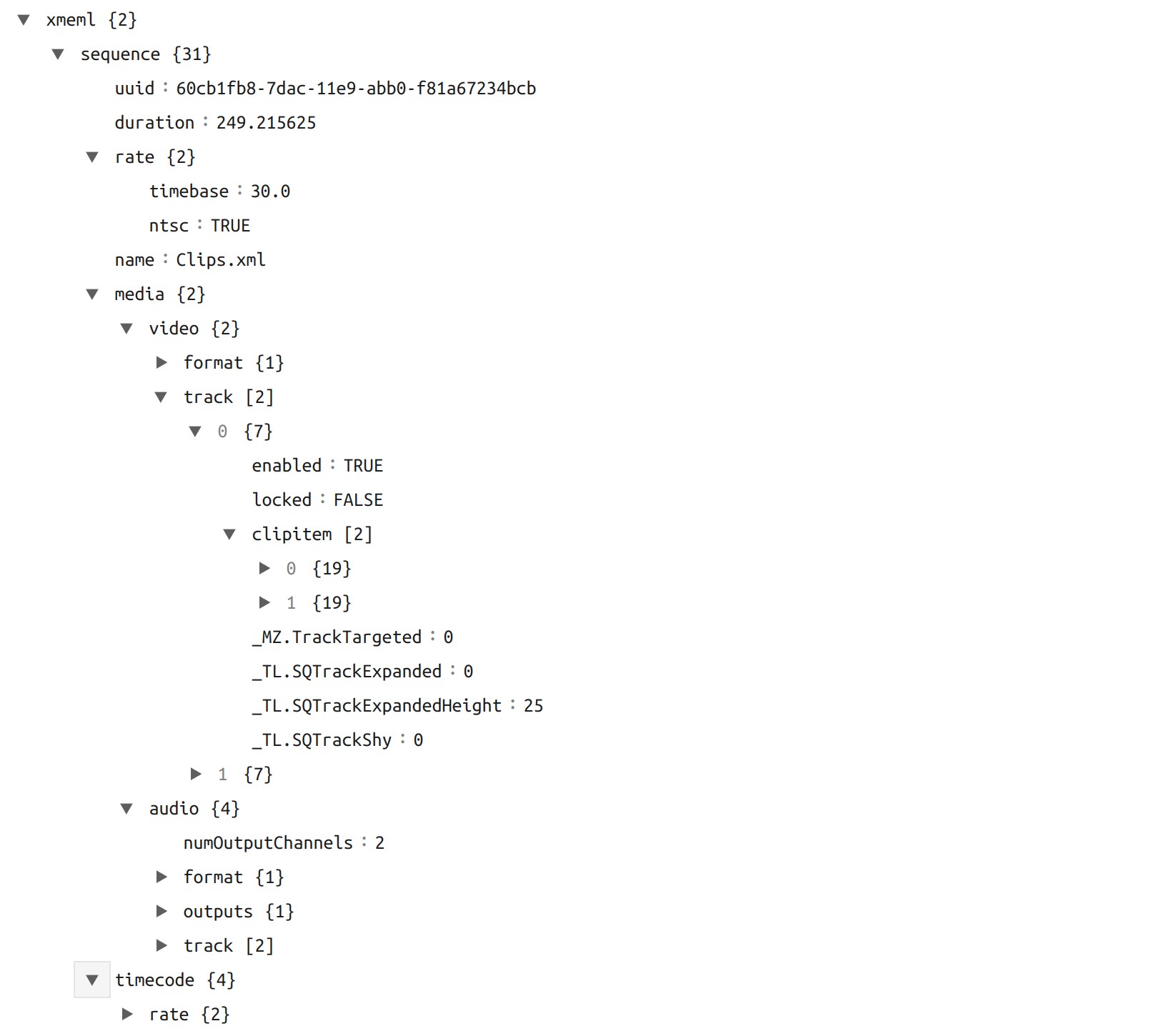
The following features are supported when importing and exporting an XML file with OpenShot. This XML format is supported in many video editors (not just Final Cut Pro). In fact, most commercial video editors have some support for importing and exporting this same XML format.
OpenShot uses the legacy Final Cut Pro XML Interchange Format (xmeml) from Final Cut Pro 7. Our exporter writes <!DOCTYPE xmeml> projects that follow the Final Cut Pro XML DTD v1.0, and is compatible with the v4 and v5 schema versions of that interchange format (the DTDs shipped with Final Cut Pro 7).
XML Option Name |
Description |
|---|---|
XML Format |
Final Cut Pro format (but most commercial video editors also support this format) |
All Tracks |
All video and audio tracks are supported |
Edits |
All clips on all tracks are supported (video, image, and audio files). Transitions are not yet supported. |
Opacity |
Opacity keyframes are supported |
Audio Levels |
Volume keyframes are supported |
Example XML Output (tree view)